TweakTick
FeaturesFormatsIntegrationsBlog
PricingFoundingFree toolsSign inStart free

Features

Everything you need to get client feedback and sign-off.

Clients pin comments on websites, images, PDFs and video, with no account, then approve the round with a code sent to their email.

Start free

Every feature, one place.

12 features

  • Live websites, images, PDFs and video. Plus Office files, audio, email, HTML, mobile app screens, 3D models, CAD drawings and canvas boards.

    1

    Website

    2

    Image

    3

    PDF

    4

    Video

    OfficeAudioEmailHTMLMobile3DCADCanvas
  • One link opens the review in any browser, with no account to make. Approving takes a code sent to their email.

    12
    Maya Chenopened your link No account
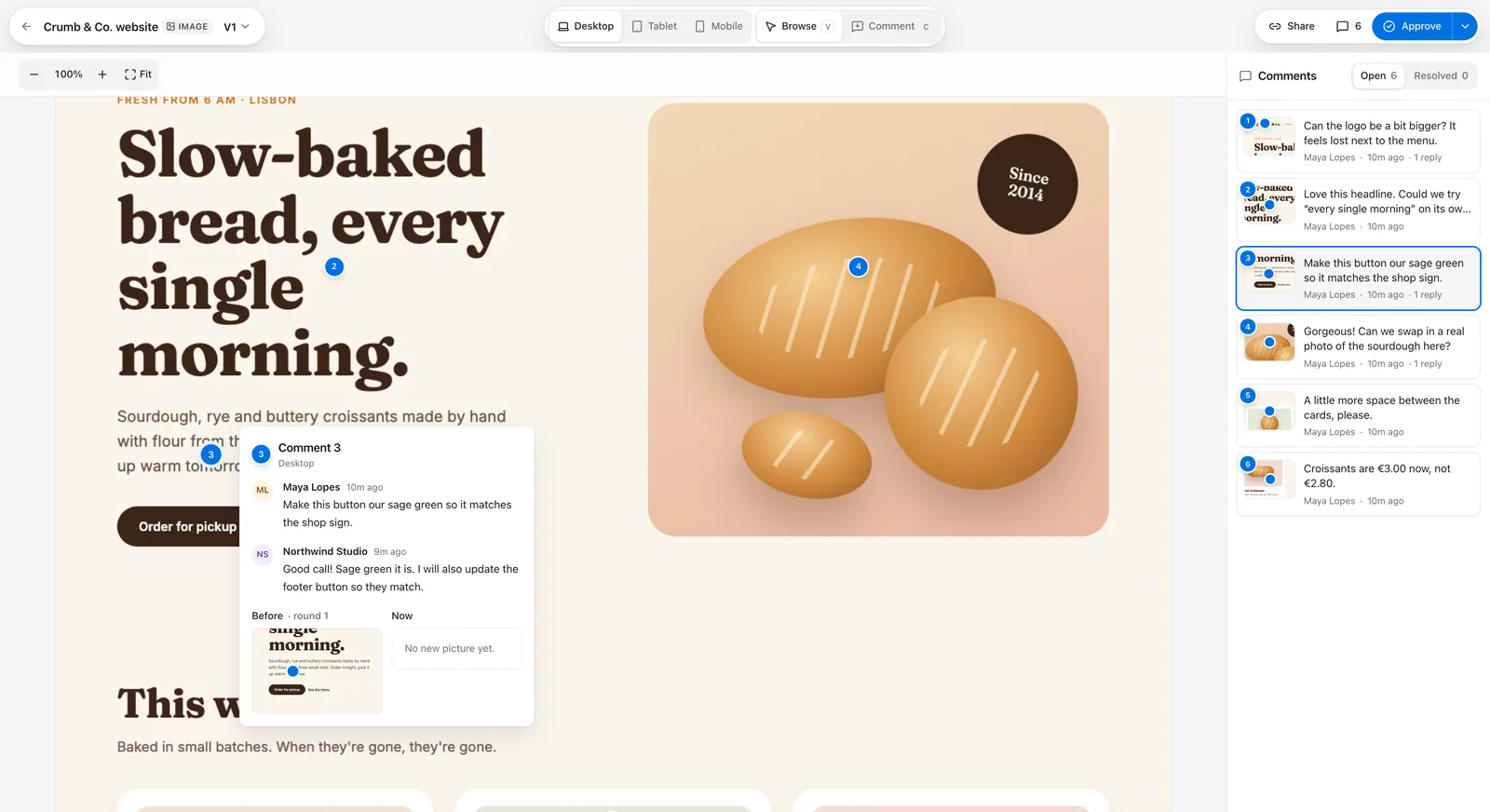
  • Clients pin a comment on the exact spot, draw a box or point an arrow at it. A pencil, labels and colours for the rest.

    243
  • Clients can just say it: a voice note on the pin, right where the problem is.

    3
    Maya ChenComment 3
    0:14
  • Every round is frozen as the client saw it: V1, V2, V3. Compare two rounds side by side or with a slider.

    V1V2
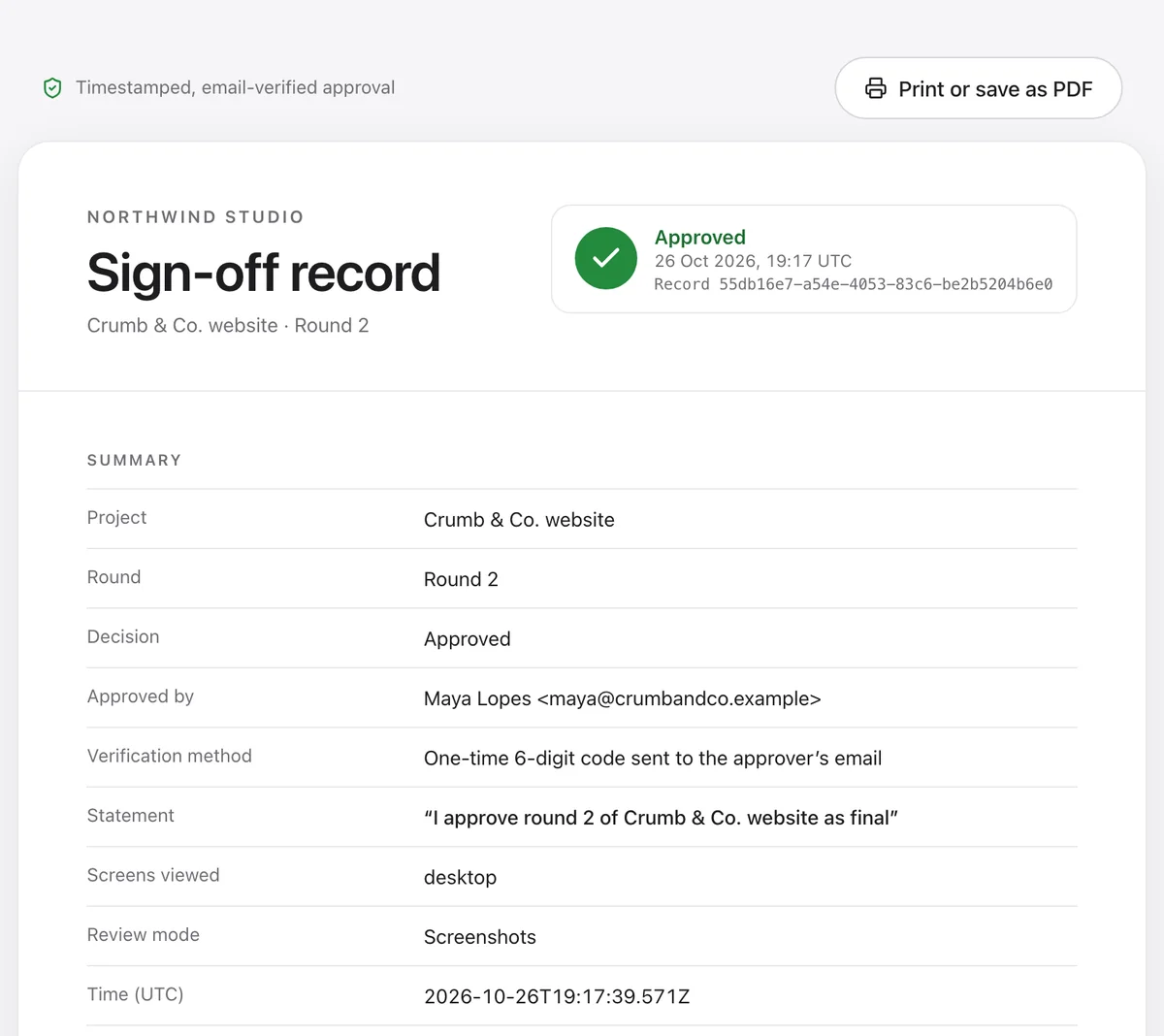
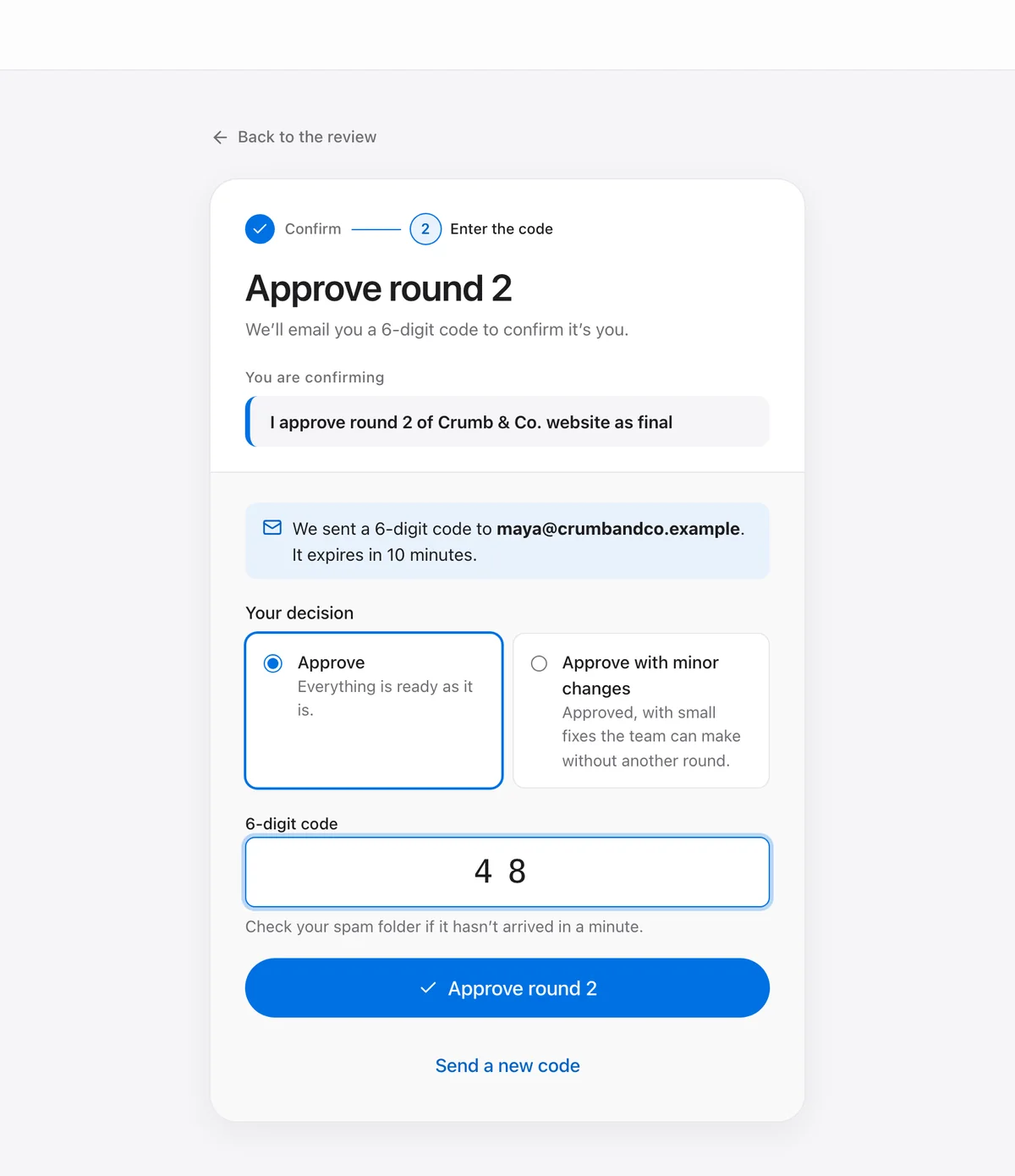
  • Clients approve with a six-digit code sent to their email, or request changes, or approve with minor changes. Every sign-off goes into a hash-chained record with its own certificate page.

    Sign-off record
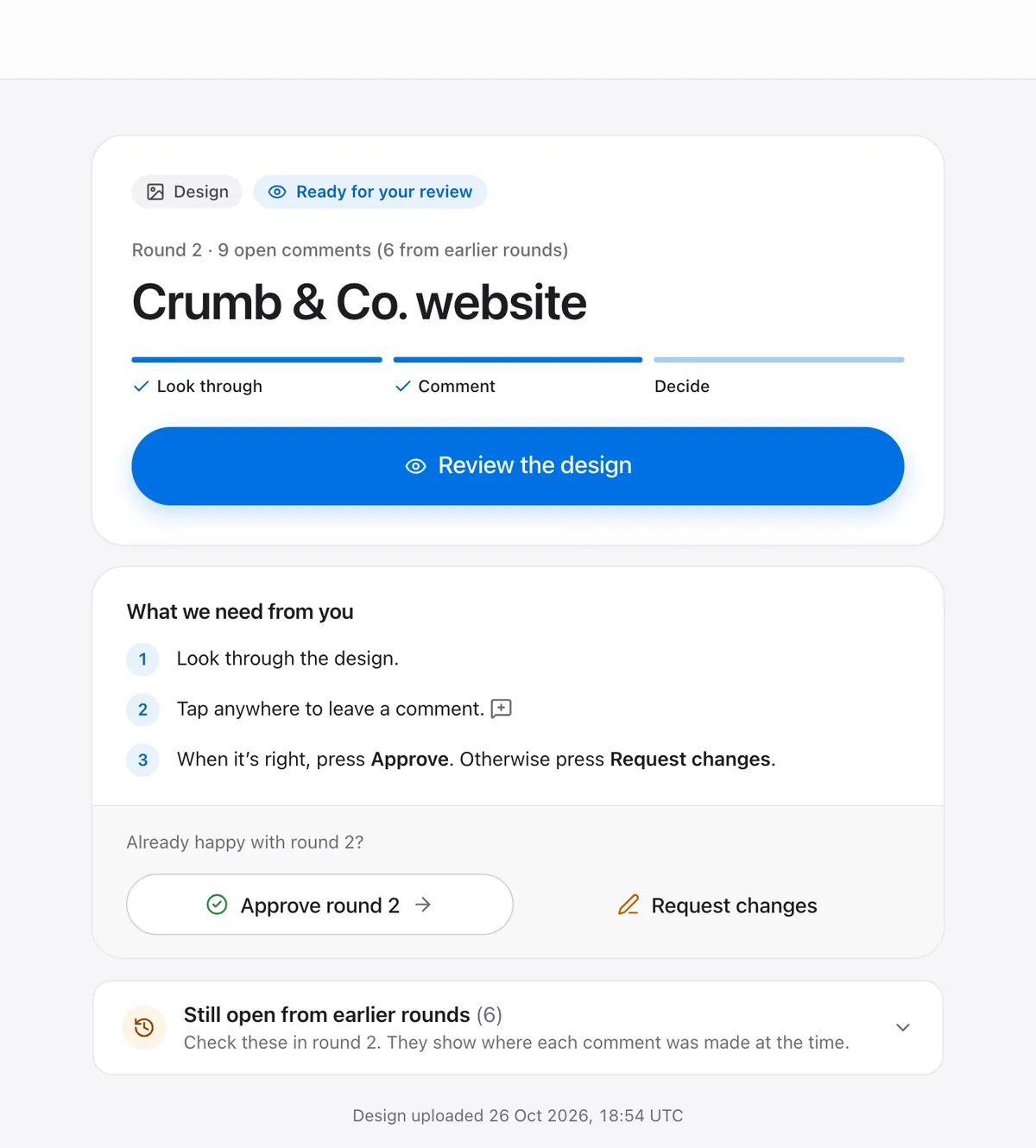
  • A reminder goes out when clients go quiet. Give comments a due date, an assignee and a priority, all in one Inbox.

    Inbox3

    • 2Make the logo a little biggerDue ThuTR
    • 3Sage green for the order buttonDue FriAK
    • 5Swap the menu photoDue MonTR

    Reminder · Northwind Studio

    Round 2 of the Crumb & Co. website is waiting for you

    Review round 2
  • Notes for your team sit on the same pins and are removed before clients see the page.

    2
    Maya Chen

    Can the button match the shop sign?

    Internal · Tom

    Use the sage from the brand guide.

  • Lock a review with a password, or invite only the people you choose. Remove anyone from the guest list, any time.

    Crumb & Co. website

    Enter the password to open

    Open review

    Guests

    • Maya Chen
    • JBJon Baker
    • PLPriya Lal
  • Walk clients through the pages in the order you set, with Next and Previous. A welcome note greets clients when they open a project.

    NSNorthwind Studio

    Hi Maya, here is round 2. Start with the new homepage.

    1. Home
    2. 2Menu
    3. 3Order
    4. 4Contact
    PreviousNext
  • Send comments to Slack, Jira, Linear, ClickUp, Asana, Trello, Monday, Todoist, Notion and Airtable. Signed webhooks and a REST API for your own automations.

    3Comment 3

    Make this button sage green so it matches the shop sign.

  • Export comments as a CSV or a printable PDF. Export or delete your whole workspace from Settings.
    comments.csv

    #CommentStatus
    1Bigger logoDone
    2Sage green buttonDone
    3New menu photoOpen

    comments.pdf

    2
1

Website

2

Image

3

PDF

4

Video

OfficeAudioEmailHTMLMobile3DCADCanvas

Deep dives

  • 1
    PDF
    Brochure-v2.pdf
    Page 2 of 8
    2
    MR
    Marco, client
    Swap this photo for the new one

    PDF proofing

    Upload the PDF and send one link. Your client comments on the exact spot, or on the exact words, and approves the round when it’s right.

    Learn more
  • 2
    Launch-film-v2.mp4
    0:18 / 1:05
    1
    2
    0:12
    Logo comes in too late
    0:47
    Music is too loud here

    Video review

    Upload a cut or paste a YouTube link. Your client pauses, comments at that moment, and approves the version when it’s done. No account needed.

    Learn more
  • 3
    Home
    Pricing
    Mobile
    1
    JL
    Jo, client
    Make the button green

    Design feedback

    Upload a mockup, a logo or a banner and send one link. Your client points at the exact spot, you fix it in the next round, and they approve it.

    Learn more
  • 4
    Send
    One link
    Comment
    Pins on the page
    Approve
    Emailed code
    Record
    Signed PDF

    Client approvals

    Your client presses Approve and confirms with a code sent to their email. You keep a record of who approved which version, the exact words and when.

    Learn more

Keep exploring

  • All formatsEvery file type your clients can pin comments on and approve.
  • IntegrationsSend pinned comments to the tools you already use.
  • PricingStart on the Free plan, no card needed. See what each plan includes.

Your next round could close this week.

Free to start. Your client needs nothing but the link.

Start free
  • Free plan, no card
  • Clients never sign up
TweakTick

Every tweak. Every tick.

Product

  • What’s new
  • All features
  • All formats
  • PDF proofing
  • Video review
  • Design feedback
  • Client approvals
  • Integrations
  • Support
  • What’s not supported yet

Resources

  • Blog
  • Help
  • Free tools
  • Compare
  • About

Free tools

  • Scope creep calculator
  • Change request form
  • Revision clause generator
  • Kill fee calculator
  • Freelance rate calculator
  • Sign-off form generator
  • Compare images
  • Screenshot annotator
  • PDF annotator
  • Approval email templates

Compare

  • TweakTick vs BugSmash
  • TweakTick vs MarkUp.io
  • TweakTick vs Pastel
  • TweakTick vs ruttl
  • TweakTick vs BugHerd
  • All comparisons

Legal

  • Terms of Service
  • Privacy Policy
  • Data Processing Agreement
  • Sub-processors
  • Refund Policy
  • Security

More from our team

  • NudgesmartPopups for Shopify stores
  • MenaJobsJobs in the UAE and the Gulf

© 2026 TERRANOAH ECOM VENTURES (OPC) PRIVATE LIMITED

TweakTick - Featured on Startup FamePhoto credits